
Why Did the Line Miss Target Yesterday? How to Track OEE and Downtime Reasons Accurately
Morning meeting. Line 2 made 8,200 pieces against a target of 10,000. The supervisor says it was a material problem and the machine was acting up. Maintenance says the machine was fine. Everybody leaves with an opinion and no facts.
(Figures in this article are illustrative examples, not customer results.)
In short: Lines miss target without a clear reason when stops are recorded late, by hand, with "others" as the biggest reason, and OEE is calculated in Excel days later. Fix it by reading machine state and counts directly from the PLC, asking the operator for the stop reason at the machine while it happens, and showing the six big losses per machine in money, during the shift.
Why nobody can say why the line stopped
- Stops are written on paper at the end of the shift, if at all. By then, a 12-minute jam and a 3-minute wait for material have merged into "machine problem".
- "Others" is the biggest reason. If the reason list is long or awkward, operators choose the easiest option.
- OEE is calculated days later, in Excel, when nobody remembers what happened.
- OEE is often inflated. When the ideal cycle time is unknown, many tools quietly assume Performance is 100%. That hides the real speed loss.
- Small losses are invisible. Changeovers that grow by two minutes a month and lines that wait for material never appear as a single big event.
How to get the real reasons behind a missed target
1. Read machine state from the machine
Use PLC run, fault and load signals to classify each interval as Running, Idle, Stopped or Breakdown. If a signal goes silent, record it as unknown, not as stopped.
2. Turn PLC counters into production per shift and per hour
Cumulative counters must handle resets and rollovers. If there is a gap, record "at least N" pieces instead of guessing.
3. Compare actual with target during the shift
A pro-rata target shows whether the line is behind at 11 a.m., not only at the end of the shift.
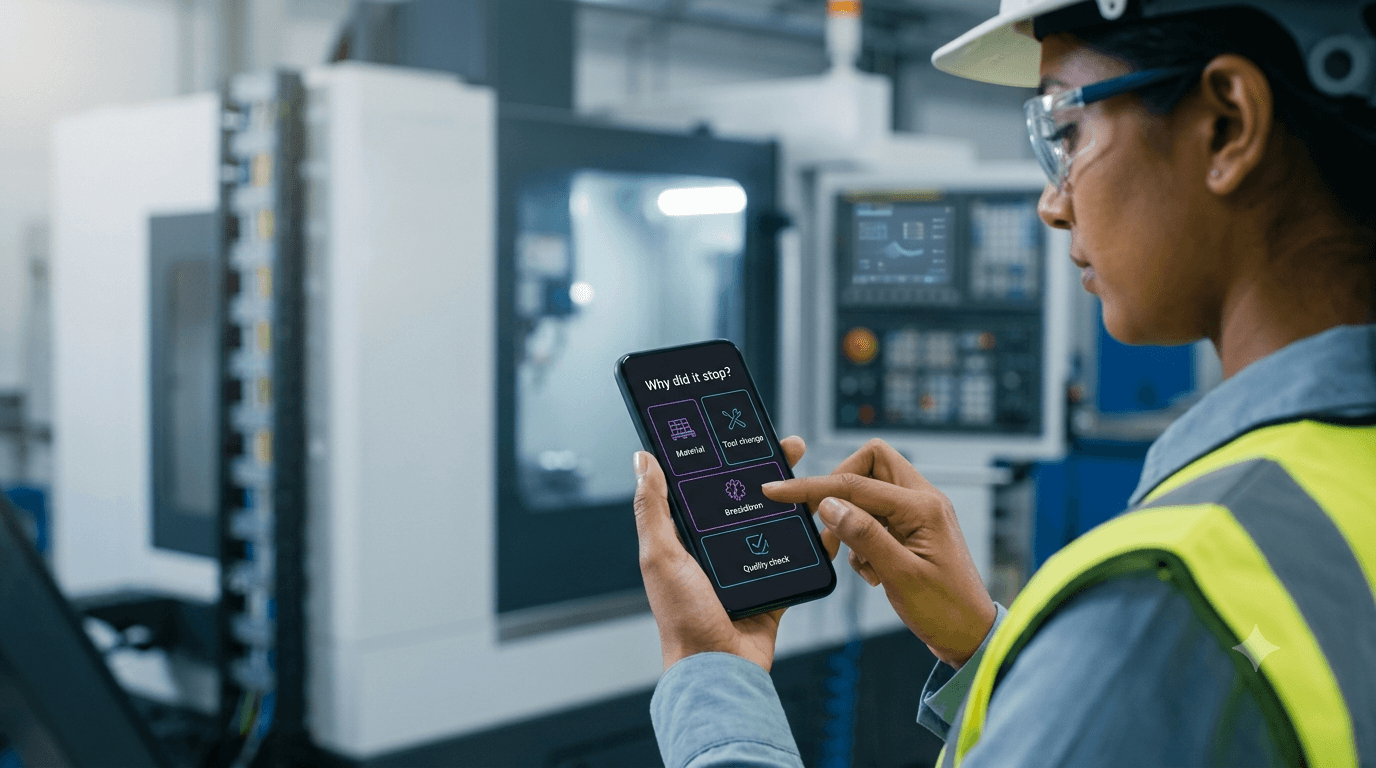
4. Ask the operator why, at the machine
When a machine stops longer than a set limit, ask the operator for the reason on a phone or tablet at the machine, with one card and large buttons. Keep "reason not given" as its own category, so gaps in recording are visible.
5. Show the six big losses, in money
Breakdowns, setup and adjustment, small stops, reduced speed, and production rejects, per machine and line, with the loss converted into rupees at your declared rates.
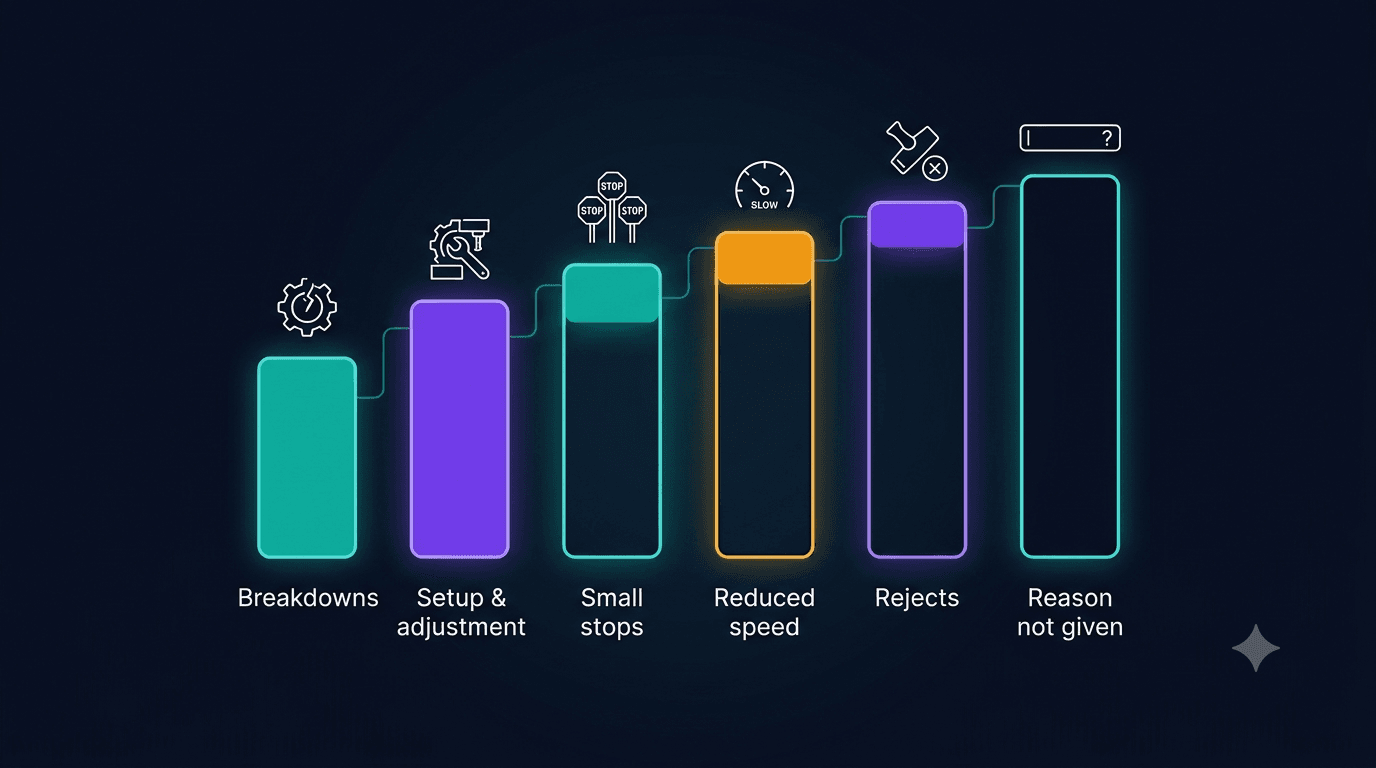
How MIRA makes the morning meeting start with facts
MIRA, Techseria's AI plant-intelligence platform, gives production managers a live, honest view of every line.
- Machine State: Running, Idle, Stopped, Breakdown or Unknown intervals, from PLC signals plus open breakdown work orders. A silent feed shows "unknown", never an interpolated value.
- PLC Production Counters: production per shift and per hour, with resets and rollovers handled. A gap gives "at least N", never a guess.
- Shift Targets: actual against target per shift and product, with pro-rata pace during a live shift.
- Stop-reason capture: a phone-friendly screen asks operators why a machine stopped, one card per stop, with large buttons.
- Six big losses and OEE: Availability × Performance × Quality per line, shift and model. Without an ideal cycle time, Performance and OEE show "unknown", never an assumed 100%.
- Live shop-floor board and kiosk: each machine's state, count against pro-rata target, speed, kW and money lost this shift, on a TV on the floor. A kiosk account can view only the board.
- Changeover Overrun and Material Starvation: a baseline per product-to-product changeover with creep detection and a suggested sequence, and a Pareto of starved minutes by station, material and shift.
A reason that keeps coming back can open a root-cause case. The hours recovered go to the value ledger, where your own engineer approves them.
What you need
PLC run and fault signals and counters reaching MIRA (over OPC-UA, Modbus, Siemens S7, EtherNet/IP, MQTT or a historian), or production counts by CSV. Your plant declares its shifts, ideal cycle times, targets and stop-reason list. MIRA ships these empty on purpose, because a guessed cycle time gives a false OEE.
Frequently asked questions
How do you calculate OEE correctly?
OEE = Availability × Performance × Quality. Performance needs the ideal cycle time for each product. If it is unknown, OEE cannot be calculated honestly, and a tool should say so rather than assume 100%.
What are the six big losses?
Breakdowns, setup and adjustments, small stops, reduced speed, startup rejects and production rejects. MIRA calculates five of them today; startup rejects are shown as not computable.
Can operators record stop reasons without slowing down?
Yes, if capture happens at the machine, on a phone, with a short reason list and large buttons. That is how MIRA's stop-reason screen is designed.
What is the biggest stop reason on your worst line?
How sure are you? See MIRA's shop-floor board or book a demo.
See MIRA on Your Own Plant Data
Bring a month of work orders, a meter export or a PLC tag list. We'll show you what MIRA finds, and what it needs to find more. Unlimited users and assets, installed inside your network.
Ready to accelerate your operations?
See how custom AI solutions, ERPNext integration, and workflow automations can lower your operating costs. Book your free 30-minute Workflow Audit with a senior engineer.